Cat SOC Manager
Navigate to Knowledge Database > Caterpillar SOC – Service Option Collaborator Manager.
On the CAT SOC Manager, if you have Write permissions for the CAT SOC Endpoint Administration function, the Edit SOC Endpoints icon  displays on the CAT SOC Manager screen.
You can also Add, Edit, Delete and Refresh the SOC Configuration on this screen.
displays on the CAT SOC Manager screen.
You can also Add, Edit, Delete and Refresh the SOC Configuration on this screen.
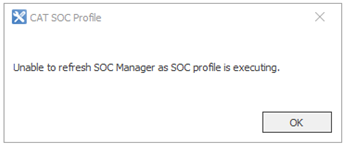
To refresh the screen, click  . You cannot refresh the screen when an SOC Import is processing. If you try to, you will see the message below. The refresh will work if the import is being done by the SOC System Task.
| Field | Description |
|---|---|
| Name | Name of the SOC Profile. |
| Description | Description of the SOC Profile. |
| Last Run | Date and time when the SOC Profile-related Standard Job was last imported. |
| Last Result | Indicates whether the import was successful or failed. |
| Message | Success or Failed. |
| Information | The number of records affected (inserted or updated) when the import was successful. An error message is displayed when the import fails. |