Residual Value in Components reports
Residual value in components (RVIC) represents how much value remains in a component at a specific point in the future. This concept is typically used for:
- Varying maintenance contracts.
- Terminating maintenance contracts.
- Assessing contingent liabilities.
- Determining the economic life of an asset.
The RVIC calculation is based on:
- Specific end date.
- Current usage of the equipment.
- Cost of the strategy task (that is, the component).
- Percentage of life of the component remaining at the end date.
- Hence, Residual Value = Cost x Life Remaining.
Both the RVIC Analysis and RVIC Chart Report Parameters have been enhanced to include the Cost Bearer. The field supports the ability to multi-select one or more, or all cost bearers.
When launched, the report will place the default cost bearer into the Report Parameter field. This will allow the report to perform its calculation as in previous versions.
If you decide to modify the cost bearer, this selection will be remembered as per standard AMT functionality.
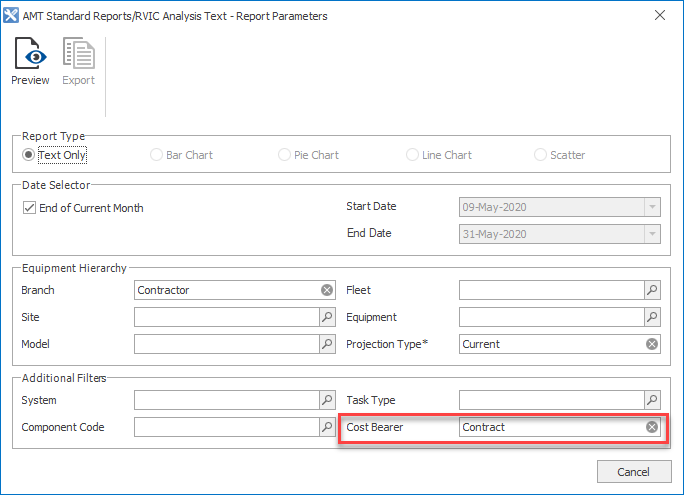
The menu option RVIC Analysis produces the Residual Value in Components – Equipment report. It is now written in SSRS (SQL Server Reporting Service).
The Residual Value in Component – Equipment report displays first; summarised by Fleet and Equipment.
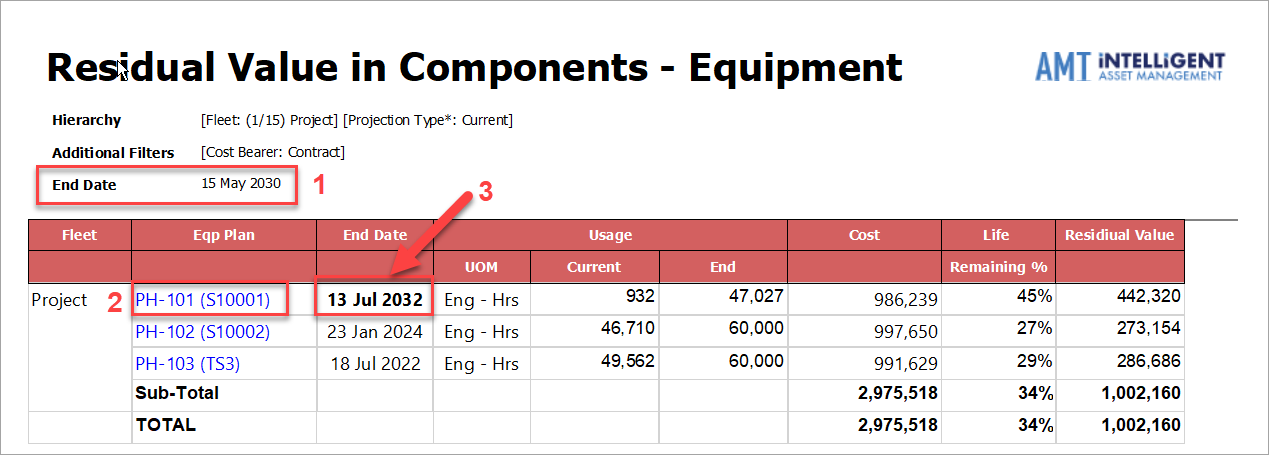
- End Date found in the Report Header displays the End Date input as a Report Parameter. Previously this was not displayed, but may have been displayed in the End Date column for an Equipment if the Equipment Projected End Date was after the report parameter end date.
- The Residual Analysis Component - Detail report is available with the blue hyperlink.
- End Date column in the report displays the Equipment’s Projected End Date per the equipment record. If the Equipment’s End Date is greater than the End Date for the report, the font will be bold.
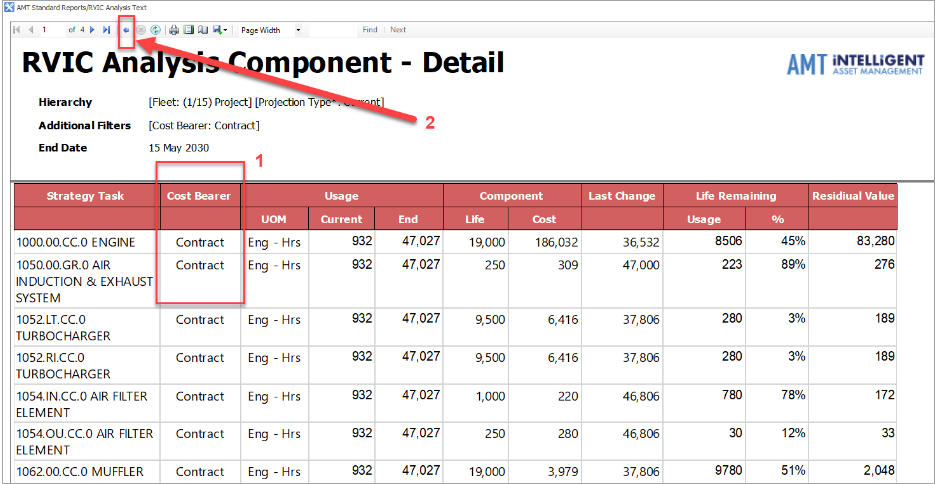
When in the RVIC Analysis Component - Detail report (screenshot below):
- New Cost Bearer column displays with information dependent on the report parameters. If no cost bearer selection is made, the report will display the equipment’s Component RVIC details for the default cost bearer.
- You can drill back to the summary report where you may choose to select another equipment to investigate in more detail.
The RVIC Chart report parameters are expanded in line with the Detail Analysis reports. The RVIC Chart report has not been upgraded to SSRS in this version.
These changes apply across all the RVIC reporting within Real Equipment, Centrelines and Modelling Equipment.