Planning a Work Order
Operations
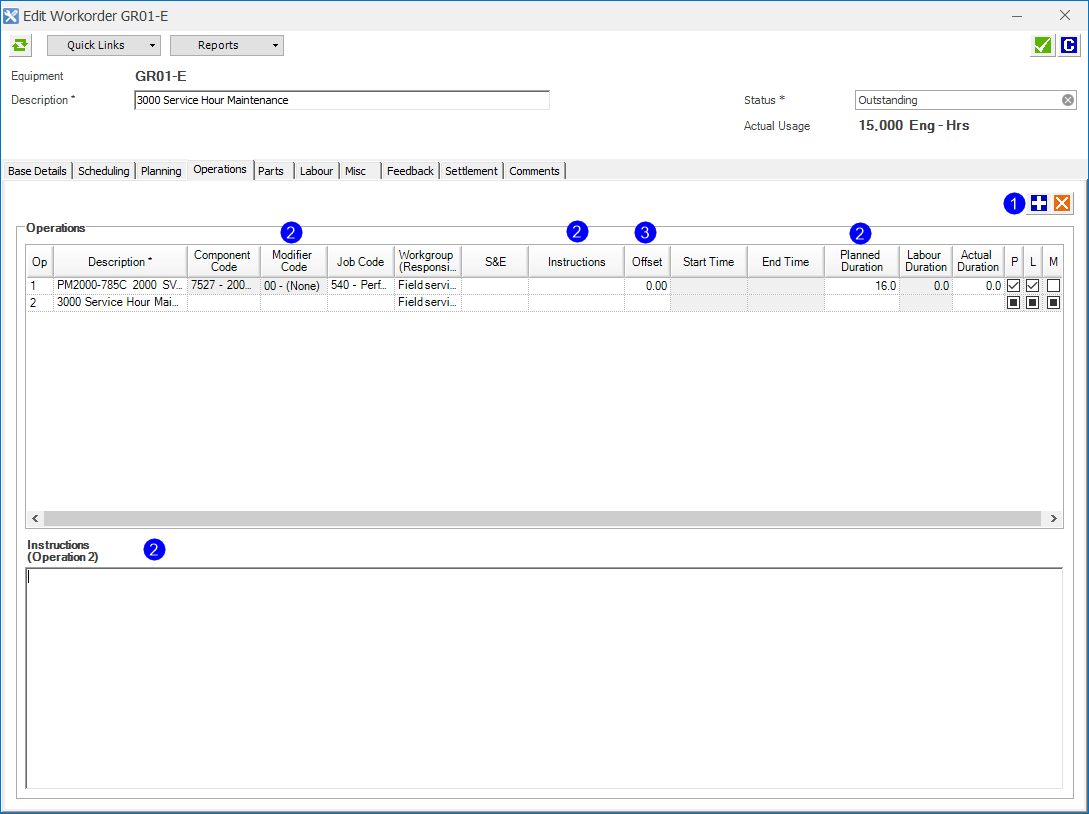
Navigate to Daily Planning > Planning > Workorders tab. Double-click the work order and click the Operations tab.
 s
s
| Item | Description |
|---|---|
| 1 | All work orders are created with a Single Operation by default. You can click Add to add multiple operations if required. |
| 2 | You can enter:
|
| 3 | Offset allows you to schedule the start of each operation. An offset of 2 will schedule the start of that operation in two hours after the scheduled start time of that work order. |
 Related Topics