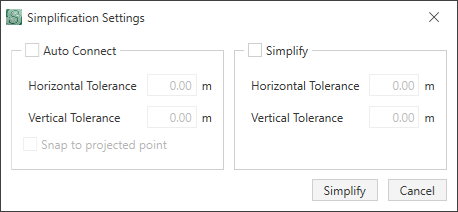
The Simplification Settings dialog box displays.
Multiple nodes can be selected at the same time by
- selecting Select > Rectangle
- selecting a node and holding down the Ctrl key and selecting each node
- selecting a range by Shift + clicking the first road segment in the range, and then Shift + clicking the last road segment in the range.