Import an existing model
To create a new XERAS model from an existing model from an existing .xeras file:
-
Click Administration mode > Model Management.
-
Click Create Model.
-
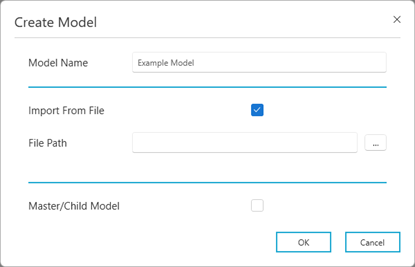
Enter a Model Name.
-
Select the Import From File check box.
-
Browse to the File Path of the previously exported model - this will have a .xeras file extension.
-
Optional: Select the Master/Child Model checkbox if you wish to set the model as a master or child model.
-
Click OK.