Multi-period function audits
Multi-period function audits display a detailed view of the parameters used within a function and the calculated results generated by the selected function. These spreadsheet-based audits are available for the following list of multi-period functions:
@EMEVENT
@EMMARC
@MARC
@EREPU
@EREPU2
@EVENT_ALTS2
@GETSSSUM
@GETSSSUM_MPF
To run a multi-period function audit:
-
Navigate to a spreadsheet in XERAS.
-
Select a multi-period formula, which is typically found in the BaseData column.
-
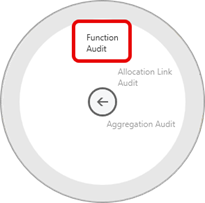
Right-click and select Audit > Function Audit.
XERAS will activate the audit appropriate to the function selected.
Below is an example of the @EMEVENT function audit. Each function audit will contain the following elements:
-
Key parameters of the function and their associated values.
-
Additional source data rows that contribute to the function logic.
-
Detailed rows displaying the calculated results of the function. In the @EMEVENT function example, the detailed rows display each equipment unit's age, and when the maintenance event is due for each unit.
-
Sub-total for each period that matches the period results in the row being audited.
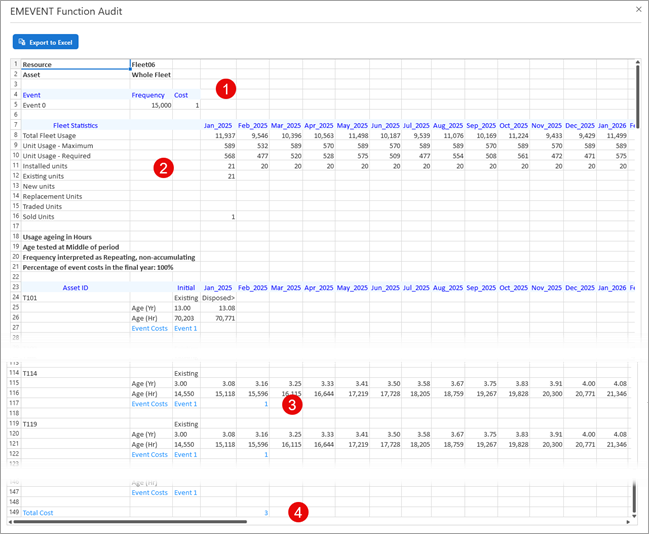
The audit can be exported to Excel at any time by clicking Export to Excel and following the steps.