Asset link
Use the Asset Link to connect the current spreadsheet to an Asset Table Spreadsheet. The asset link is required when using equipment calculation functions, such as @EEXTU and @EREPU, that require information about existing assets that is contained in the Asset table.
To set the asset link:
-
Open a model in Construct mode.
-
Expand the Structure and click the spreadsheet you want.
-
Right-click and select Properties, or press F2.
-
In the Asset Link section:
-
Use the selection list to choose the Structure in which the Asset Table spreadsheet resides.
-
Use the selection list to choose the asset table Spreadsheet.
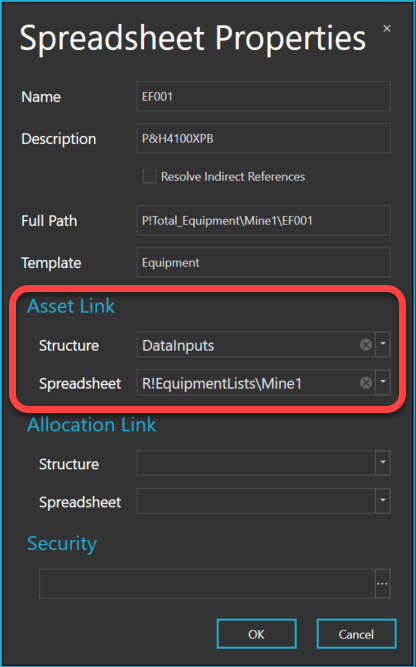
-
-
Click OK.
-
Click Save.